Knowledge that stays connected to delivery.
Write specs, decisions and runbooks, and link them to the stories, tests and releases that deliver them — down to the exact section. Review, approve and keep them current, together.
Included in every plan · free for teams of up to 5
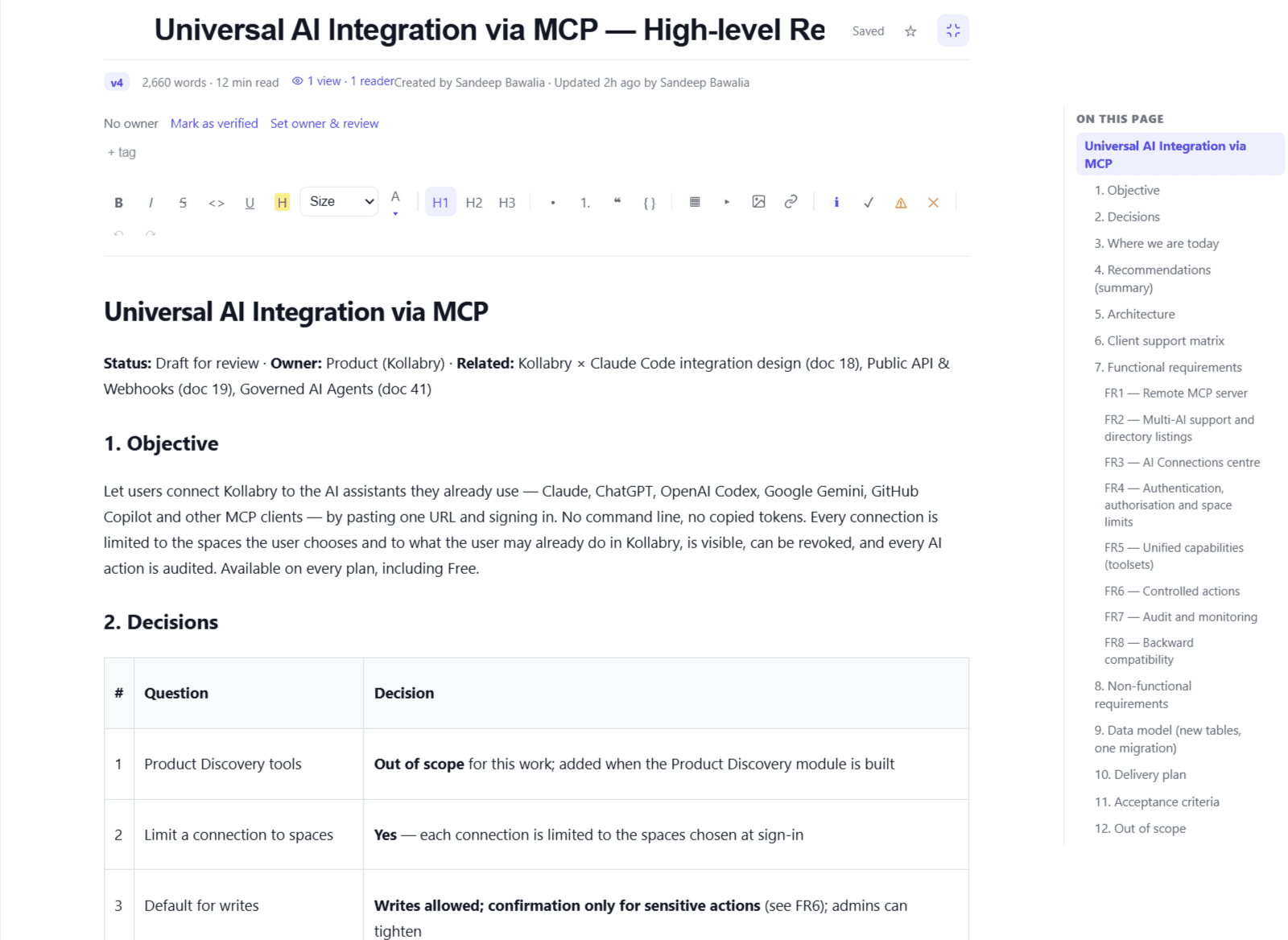
Synergy, start to finish
A step-by-step tour of every part of Synergy, recorded in the real product. Jump to any chapter from the player.
- Write with 30+ blocks, diagrams, whiteboards and team templates
- Turn a spec into stories or a whole plan, and trace it through to tests
- Comment, co-edit live, review and approve, and share safely
- Ask AI about any page, and bring pages in from Confluence and Google Drive
Plays from YouTube (privacy-enhanced mode). Nothing loads until you press play.
Write together, share safely, stay in sync
The latest additions, available in every workspace.
Write together in real time and see who else is on the page. Changes appear for everyone as they’re typed.
Open to the space, view-only except for named editors, or private to named people and teams. Sub-pages keep their parent’s restriction.
Expiring, read-only links for customers and partners, with view counts. Admins switch it on and can revoke any link.
Ask the team to confirm they’ve read a policy or a release note, and see exactly who has.
Inline chips and filtered tables of your space’s tickets that always show the current status and assignee.
Ask questions about the page you’re reading, or get a summary of what changed since your last visit.
Everything your team writes, in one connected place
Real screens from Synergy. Pick a tab, or let it play.
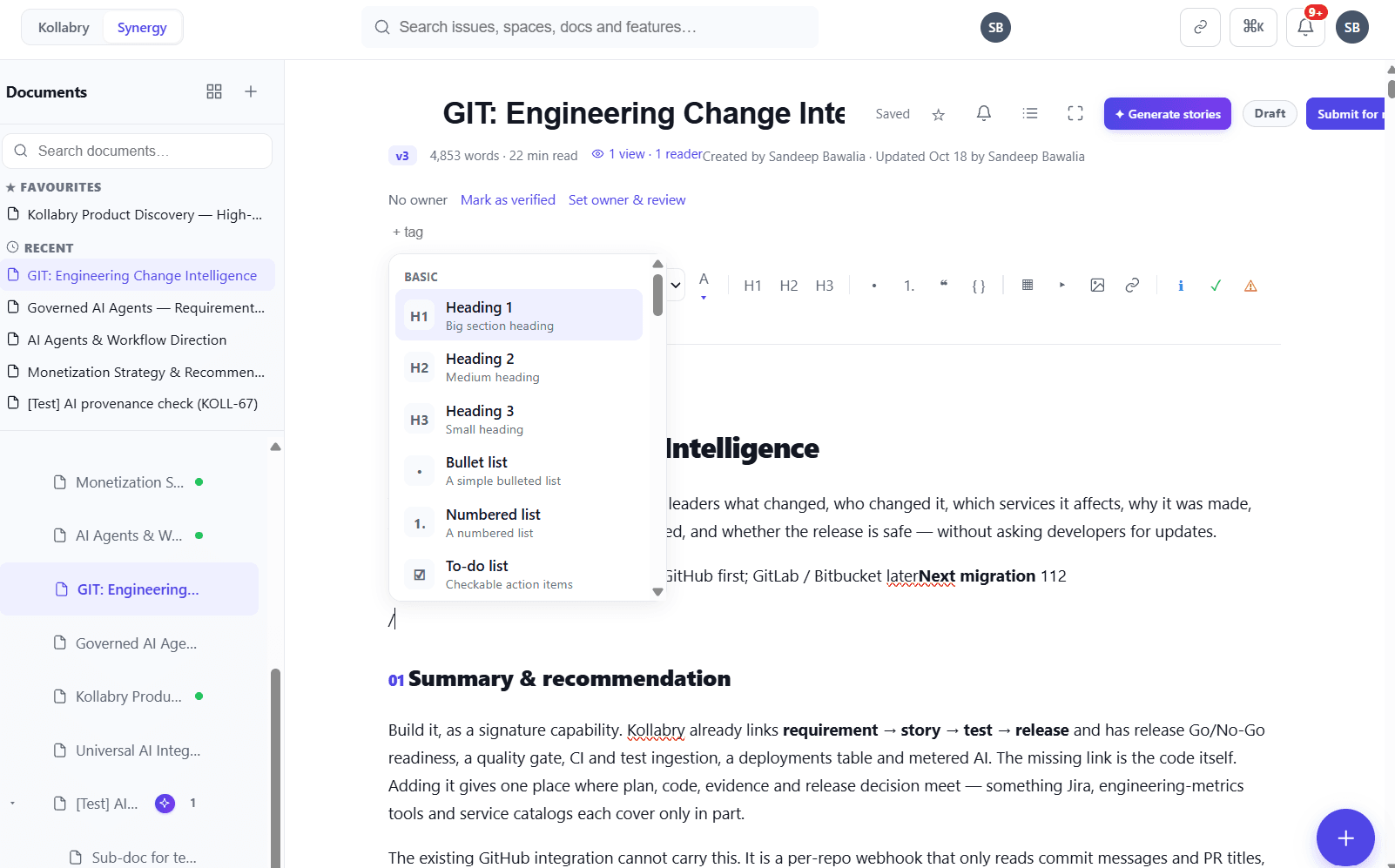
Type “/” for any block
Headings, lists, tables, callouts, decisions, timelines, charts and diagrams — all from the keyboard. Favourites and Recent keep your pages one click away.
Not another wiki
A writing experience teams enjoy
Type “/” for 20+ rich blocks — callouts, decisions, timelines, stat cards, FAQs, columns, tables, charts, Mermaid diagrams, child pages and live work-item tables. @mention teammates and paste images.
Edit together, live
Several people write in the same page at once and see who else is there. Titles and comments update for everyone instantly. Comment on a sentence, or brainstorm on a whiteboard.
Reviews, approvals and sign-off
Draft → In review → Approved, with “request changes” and reminders when a review is due. Ask readers to acknowledge a page and see who has. Every version kept and comparable.
Connected to the work, down to the heading
Link a story to the exact section it delivers. Drop live work-item chips and tables into a page — they show the current status, not a stale copy.
The right people see the right pages
Restrict a page to named people or teams, view or edit. Share a read-only link with someone outside your company — it expires, and you can revoke it any time.
AI that works with your docs
Ask AI about a page, or ask “what changed?” since your last visit. Generate stories from a spec. Claude, ChatGPT or Copilot can read and draft in the spaces you allow — marked “Created by AI”.
From a paragraph in the spec to the release
Link a story to the section it delivers. Kollabry carries that link through commits, tests and the release, so you can see what is done and verified for every requirement.
Two things a wiki can’t do
These work just like Synergy. Click around.
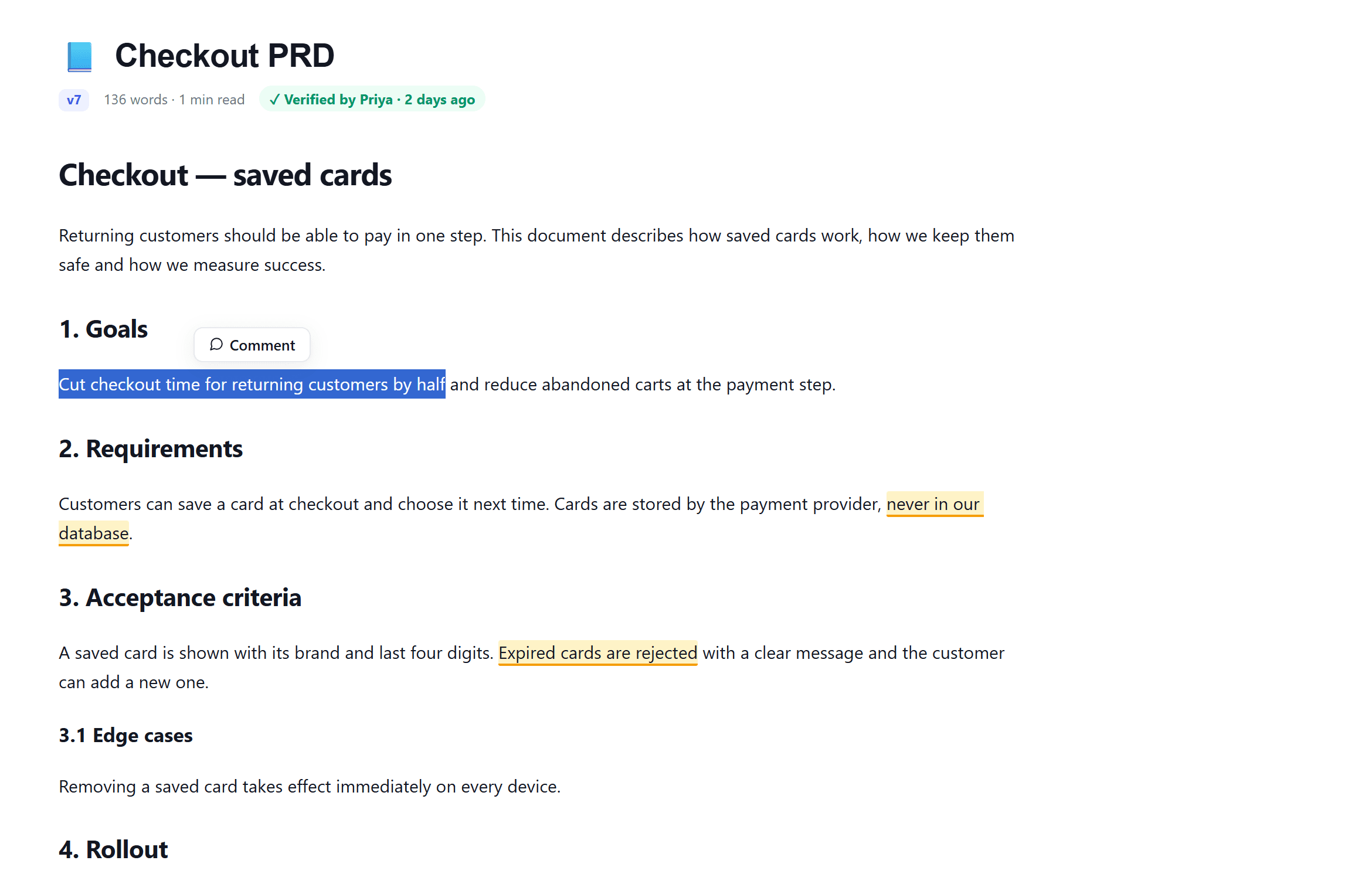
Checkout — saved cards
Returning customers should be able to . Card details are ; the payment provider keeps them.
with a clear message, and the customer can add a new card.
Comments appear here, quoting the exact text.
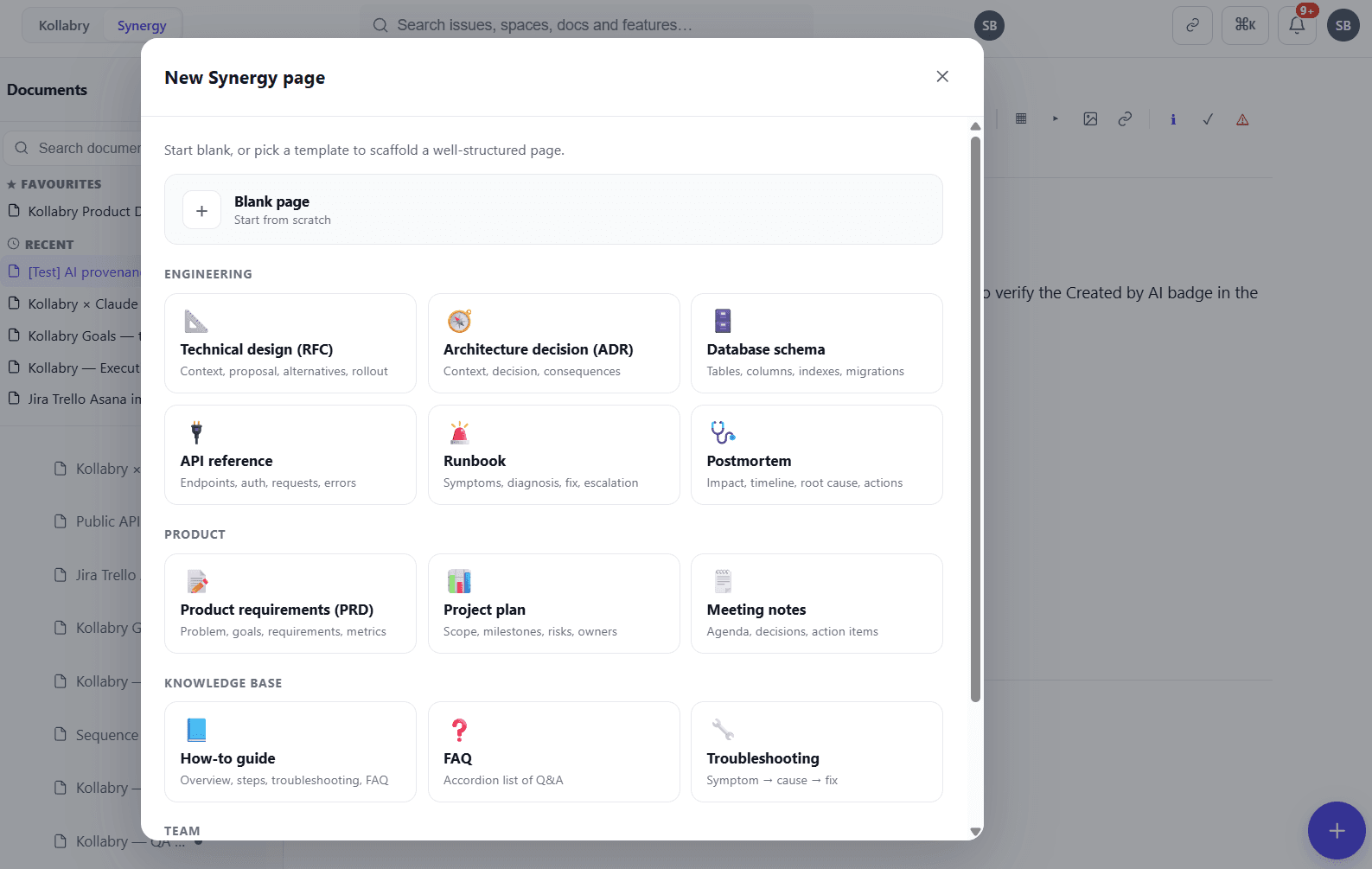
Start from a template your team already needs
Every PRD, RFC and postmortem with the same structure, so nothing important is missed.
Small things that make a big difference
Your most-used pages at the top of the tree.
A distraction-free view for reading and writing.
Views and readers, so authors know a spec was read.
Copy a link that opens a document at a heading.
Notifications for comments, reviews and edits.
An emoji per page to scan big trees faster.
PDF, Word or Markdown — with all sub-pages in one file.
Bring your pages across from Confluence.
Save any page as a template your whole team can start from.
Select pages in the tree to move, tag or archive them together.
Move a page and its sub-pages to another space in one step.
What was created, edited, commented on and approved this fortnight.
Why keep docs next to the work
Questions teams ask
Is Synergy a separate product?
No. Synergy is part of every Kollabry workspace and included in every plan, including Free for teams of up to 5. There is nothing extra to buy or install.
How does linking to a heading work?
When you link a story or task to a document, you can choose the whole document or a specific section. The work item shows the section it delivers, and the document shows every work item linked to it.
Can we bring our Confluence pages?
Yes. Import pages from Confluence into a space, then link them to your work. You can also export any document as PDF or Word.
Who can approve documents?
Product Owners, Scrum Masters, space leads and admins approve or request changes; space members write, comment and submit for review.
Do AI assistants work with Synergy?
Yes. Through Kollabry’s MCP server, assistants such as Claude, ChatGPT and Copilot can read documents and create drafts in the spaces you allow. Publishing and approval stay with people, and AI-created documents are marked.
Can several people edit a page at the same time?
Yes. Synergy pages support live co-editing: everyone on the page sees who else is there and the changes as they’re typed, and the title and comments update instantly.
Can we restrict who sees a page?
Yes. A page can be open to everyone in the space, viewable by everyone but editable only by named people or teams, or private to named people and teams. Sub-pages keep their parent’s restriction and can only narrow it.
Can we share a page with people outside our company?
Yes, once a workspace admin turns it on. You create a read-only link that expires (up to 90 days), can include sub-pages, and can be revoked at any time. Admins see every active link, and each link shows how often it was viewed.
Can we ask people to confirm they’ve read a page?
Yes. Request an acknowledgement and readers get an “I’ve read this” prompt. You see who has acknowledged and who hasn’t — useful for policies, runbooks and release notes.
What happens to old documents?
Archive them. They leave the tree and search but are kept, and anyone with access can restore them. Owners and review cycles flag pages that need a check before they go stale.
Bring your team’s knowledge and work together
Free for teams of up to 5. Synergy, the tracker, QA and AI in one workspace.